Common questions about BT Openzone

General questions about BT Openzone


Using BT Openzone wireless broadband


Buying wireless internet access


General questions about BT Openzone


What is Wi-Fi and wireless broadband?

Wi-Fi is 'wireless fidelity' or 'wireless network'. It's a great way to connect your wireless device to the internet without using wires (e.g. in wireless-enabled locations, you don't need a phone line to surf the internet).

'Wireless broadband' gives you Wi-Fi connectivity to the internet at speeds up to 8Mb - faster than standard dial-up or 3G access.

Buy Wi-Fi access now

Back to top


What is BT Openzone?

BT Openzone is a wireless broadband (Wi-Fi) service that you can access in public places (hotspots) such as airports, hotels, coffee shops, motorway service stations and city centres. Get online at BT Openzone hotspots throughout the UK and the Republic of Ireland, and at selected locations outside the UK.

Buy Wi-Fi access now

Back to top


How secure is BT Openzone wireless broadband?

To help make sure you receive a safe, reliable and robust service, BT Openzone encrypts your account details at log-in. We also advise you make sure you have up to date firewall and anti-virus software to guard against any attacks and we strongly recommend you consider using a virtual private network (VPN), which protects your data from being intercepted. You will find the option to disable cookies via your internet browser options. Note however that some web sites may not support this function.

Visit our security section to read more about the things you can do to be even safer online.

Back to top


Does BT Openzone have a virtual private network (VPN) for users?

Yes. BT Openzone has free Cisco VPN security software especially for BT Openzone users wanting extra security when connected in a hotspot. The software improves the security of the link between your laptop and the hotspot. You may want to use our VPN when transmitting personal data.

Find out more about our free Cisco VPN security software

Back to top


Why choose BT Openzone?

BT Openzone gives you broadband internet access1 with speeds up to 8Mb. That's faster than both GPRS and 3G. You can easily get online in convenient locations such as cafés, hotels, stations, airports and city centres. And you can choose from lots of big businesses also offering our BT Openzone service - including American Airlines and Etihad Airways lounges, Starbucks, RoadChef, Hilton Hotels, Thistle Hotels and Welcome Break.

Buy Wi-Fi access now

Back to top


Why choose BT Openzone (Wi-Fi) over GPRS and 3G?

With BT Openzone, you get more done in less time - and there are no download limits. A Fair Use Policy applies to customers with BT Openzone Together and BT Openzone Global accounts.

Wi-Fi is efficient and fast, especially if you need to transfer large data files, such as music or video download and data-heavy or image-rich documents. But please remember that your recipient's email account may limit the amount of data accepted. We suggest that you limit emails and attachments to 10MB.

See comparison table

Buy Wi-Fi access now

Back to top


What is BT FON?

BT FON is an initiative between BT and FON that aims to give all its members access to wireless broadband wherever they are in the world. This is possible because all BT Total Broadband customers who've opted in agree to securely share, with other members who're in range of their signal, a portion of their Wi-Fi bandwidth through a separate channel on their Hub.

Using your BT Openzone account, you can enjoy wireless internet access at hundreds of thousands of BT FON locations in the UK and the Republic of Ireland.

Find out more at www.bt.com/btfon

Back to top


Do I have to be a BT Total Broadband customer to join BT FON?

Yes. BT Total Broadband customers have the opportunity to join the BT FON community and get inclusive Wi-Fi minutes as part of their BT Total Broadband package. If you aren't a BT Total Broadband customer, you can still access the BT FON community by buying a BT Openzone voucher at www.btopenzone.com/buy

Back to top


What is BT Total Broadband?

BT Total Broadband is the UK's most complete high-speed broadband internet service, with up to 8Mb download speeds and the wireless BT Home Hub.

If you've a BT Total Broadband package and you sign up with BT FON, you get inclusive internet access minutes every month to use at BT FON locations and in BT Openzone hotspots. You use your BT Total Broadband username and password to access the internet in BT FON locations.

Back to top


Using BT Openzone wireless broadband


What do I need to use BT Openzone?

You need a wireless-enabled device.

If your device is a laptop, it needs to be running Windows XP, Mac OS 10.4.1 or Linux 2.2 or above. If your laptop isn't wireless-enabled, you need an IEEE 802.11g wireless card or adapter. You can buy one at www.shop.bt.com or your local computer store.

If your device is a personal digital assistant (PDA), it needs to be running Microsoft Pocket PC 2002 or above, or Palm OS 4.0 or above.

Other wireless-enabled devices include most mobile phones and games and entertainment devices such as the iPod Touch, PlayStation Portable and Nintendo DS.

If you're ready, you'll now need to buy Wi-Fi access

Back to top


How do I log in and log out?

When you're in a BT Openzone hotspot or outdoor coverage area with your wireless-enabled device:

  1. insert a Wi-Fi card or switch on wireless capability
  2. select BT Openzone from the Wi-Fi signal icon in your system tray and connect
  3. open your web browser - a BT Openzone log-in page will appear. If it doesn't, type www.btopenzone.com into your browser's address bar.
  4. select BT Openzone (if not already selected) and log in by entering your username and password - a new web browser window will open confirming you're connected
  5. minimise, rather than close, the web browser window - now you're ready to browse the internet
  6. launch your virtual private network (VPN) now, if you're using one, and log in - once connected to your VPN, you'll have internet access

When you want to end your session on the internet:

  1. exit any VPN first
  2. maximise the web browser window that's showing you're connected to BT Openzone
  3. click on the log-out button to disconnect

Note: if you accidentally lose the web browser window confirming your connection, type https://www.btopenzone.com:8443/home into your address bar and the window will reappear.

More about how to log in

Note: you must log out correctly, otherwise your account will stay open and you may have to pay charges for a further 15 minutes. Your account automatically shuts down due to inactivity after 15 minutes.

Back to top


I can't remember my password. What should I do?

If you've a BT Openzone Subscription or per Minute account and we've got your UK mobile number in our records, we can text (SMS) you a free password reminder now.

Go to password reminder

If we can't text you your password because we haven't got your mobile number, email us or call us on Freephone 0800 022 33 22* (+44 132 556 0841 from outside the UK**) and we'll reset it for you. When you're online again, enter your mobile number into 'my profile'

If you've a BT Openzone Voucher, please look for the email you received when you ordered - this includes your password. Or email us or call us on Freephone 0800 022 33 22* (+44 132 556 0841 from outside the UK**) and we'll reset it for you.

Back to top


How can I change my password?

You can change your password anytime in your profile

Back to top


I've closed the browser window that shows my connection. How can I get it back?

If you accidentally lose the web browser window confirming your connection, type https://www.btopenzone.com:8443/home into your address bar and the window will reappear.

Tip: we suggest you bookmark this web page or add it to your favourites so you can easily find it again, should you need it.

Back to top


What speed can I get with BT Openzone?

You should be able to get up to 8Mb download speed.

Back to top


How do I send and receive emails using BT Openzone?

You should be able to send and receive emails as usual, using your internet service provider's (ISP) servers. However, some ISPs may sometimes block the sending of email. If so, you can use ours - just change your outgoing mail server setting to smtp.btopenzone.com. If you need help with your email settings, please see your email application (e.g. Outlook) help files.

Back to top


Is there a download limit?

No. Wireless broadband is perfect for uploading or downloading large files at high speed. Usage is based on time rather than data transfer amount. But please remember that your recipient's email account may limit the amount of data accepted. We suggest that you limit emails and attachments to 10MB. A Fair Use Policy may apply depending on your package.

Buy Wi-Fi access now

Back to top


Do wireless local area networks (WLANs) present a threat to health?

International authorities have examined the large volume of research on radio frequencies, such as those emitted by WLANs. They have concluded that radio frequencies do not pose a health risk as long as radio frequency emissions fall below certain levels. The International Committee on Non-Ionizing Radiation Protection (ICNIRP), a body of independent scientific experts that monitors and analyses all research into this area, has issued guidelines on what these safety levels should be. Their guidelines, which include a large safety margin as a precautionary measure, have been adopted by the UK government, the wireless LAN industry and BT, and are recognised as the standard for safety by the World Health Organization.

There is no credible evidence that the extremely low exposure levels from WLANs pose a threat to human health. The World Health Organization has issued a fact sheet regarding base stations and wireless networks, and its conclusions were: "Considering the very low exposure levels and research results collected to date, there is no convincing scientific evidence that the weak RF [radio frequency] signals from base stations and wireless networks cause adverse health effects."

Back to top


Can I use my laptop with BT Openzone to make voice calls?

Voice over IP (VoIP) products, such as BT Broadband Talk Softphone, can be used when you're at a BT Openzone hotspot, right after you've logged in. BT Openzone works with most good VoIP providers.

More about BT Broadband Talk Softphone

Back to top


Where can I use BT Openzone?

In addition to thousands of BT Openzone hotspots throughout the UK and the Republic of Ireland, you can access the internet using our network partners.

More about UK partner access

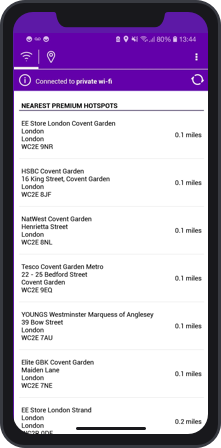
Find your nearest convenient hotspot

You can enjoy high-speed internet access through more than 65,000 hotspots worldwide with BT Openzone per Minute, a BT Openzone Subscription account or a BT Openzone International Voucher

Check your destination's BT Openzone partner network and charges

Back to top


What is BT Openzone outdoor coverage?

BT Openzone provides extensive outdoor wireless broadband access in some UK city centres. The proximity of local buildings and features may sometimes block the signal, and other Wi-Fi services in the area may reduce effective range. As a result, the outdoor coverage areas we show on our maps are purely for illustration and do not guarantee the presence of BT Openzone service.

Buy Wi-Fi access now

Back to top


How do I find a BT Openzone Wi-Fi hotspot?

Find a Wi-Fi hotspot shows you a number of ways to find your nearest BT Openzone Wi-Fi hotspot, whether you're online, offline or on the move.

Find a hotspot using:

Text (SMS)

Online list or directory


Back to top


How can I tell when I'm in a BT Openzone Wi-Fi hotspot?

BT Openzone wireless coverage can be found wherever you see a BT Openzone sign. If you've a device with wireless network (WLAN) connectivity and a username and password, you'll be able to access BT Openzone once you've opened your web browser.

Back to top


How do I connect to my company network?

Once logged in to BT Openzone in a Wi-Fi hotspot: minimise your web browser, launch your virtual private network (VPN) and log in.

When you've finished: quit your VPN first and then log out of BT Openzone before closing your browser.

Note: you must log out correctly, otherwise your account will stay open and you'll have to pay charges for a further 15 minutes. Your account automatically shuts down due to inactivity after 15 minutes.

Please note: we're happy to help you connect to BT Openzone. Sorry, but we can't offer support on VPN issues - you'll need to speak to your company's IT people about this.

Back to top


Buying wireless internet access


How do I pay?

You pay for:

Back to top


Where can I buy Wi-Fi vouchers?

You can buy paper vouchers from selected BT Openzone hotspots, and you can buy BT Openzone eVouchers online with a credit or debit card.

Back to top


Where can I use the BT Openzone International Voucher?

You can use it to access any of these partner networks:

Country Roaming partner
Argentina VEX
Australia Tomizone
Austria iBAHN, Swisscom, T-Mobile Austria
Azerbaijan Wayport EMEA
Belgium iBAHN, Orange France, Swisscom, Telenet, TeliaSonera HomeRun, Wayport EMEA
Brazil VEX
Canada Boingo, iBAHN
Chile VEX
Croatia Swisscom
Czech Republic T-Mobile Czech Republic, Wayport EMEA
Denmark iBAHN, Copenhagen Airport only via CPH Wireless Internet, TeliaSonera HomeRun
Finland eServiceBar, TeliaSonera HomeRun, Wayport EMEA
France Hub, iBAHN, Meteor, Orange France, SFR, Swisscom, TeliaSonera HomeRun, Wayport EMEA
Germany iBAHN, M3 Connect, Swisscom, T-Mobile Germany, Wayport EMEA
Hungary iBAHN, Swisscom, Wayport EMEA
Iceland Wayport EMEA
India Tata Communications Wi-Fi, Tomizone
Italy Swisscom, Wayport EMEA
Japan NTT
Kazakhstan Wayport EMEA
Latvia Wayport EMEA
Lebanon Wayport EMEA
Liechtenstein Monzoon
Luxembourg iBAHN, Swisscom, Telenet
Malaysia Maxis, Starhub
Mali Wayport EMEA
Malta Wayport EMEA, Sky Malta Telecom
Netherlands iBAHN, KPN Hotspots, Swisscom, T-Mobile Netherlands
New Zealand Tomizone
Norway Wayport EMEA
Paraguay TeliaSonera HomeRun
Poland iBAHN, Swisscom, Wayport EMEA
Portugal iBAHN, Portugal Telecom, Swisscom, VEX
Puerto Rico Boingo
Republic of Ireland iBAHN, Swisscom, Wayport EMEA
Romania Wayport EMEA
Russia Beeline, iBAHN, Wayport EMEA
Senegal Wayport EMEA
Slovakia Wayport EMEA
South Africa Internet Solutions, Wayport EMEA, Wireless G
Spain iBAHN, Kubi Wireless, Portugal Telecom, Swisscom, Telefonica
Sweden TeliaSonera HomeRun, Wayport EMEA
Switzerland iBAHN, Monzoon, Swisscom, Swisscom Mobile, Wayport EMEA
Taiwan Chunghwa
Thailand TeliaSonera HomeRun
Turkey Swisscom, Wayport EMEA
United Arab Emirates Wayport EMEA
UK iBAHN, Orange France, Swisscom
USA Boingo, iBAHN, T-Mobile USA, TeliaSonera HomeRun

Buy an international voucher now


Back to top


How do I change or upgrade my pricing plan?

If you've any questions about changing your pricing plan or if you find you're using more minutes than you planned for and would like to upgrade your account, please email us your account number (it's at the top of your bill and begins with the letters GB) and tell us which plan you're on and which one you'd like to move to. Please note: this service isn't available at weekends - we'll be in touch as soon as we can during the working week.

Back to top

I want to start a BT Openzone hotspot. What should I do?

Email us and tell us your:

  • name, address, phone number
  • type of business (e.g. coffee shop)
  • total number of sites
  • type of site (e.g. shop) and its size in metres
  • how many people you think may want to access the internet in your hotspot at any given time

Back to top